 Huddle Log
Bookmarks
Mark the moment.
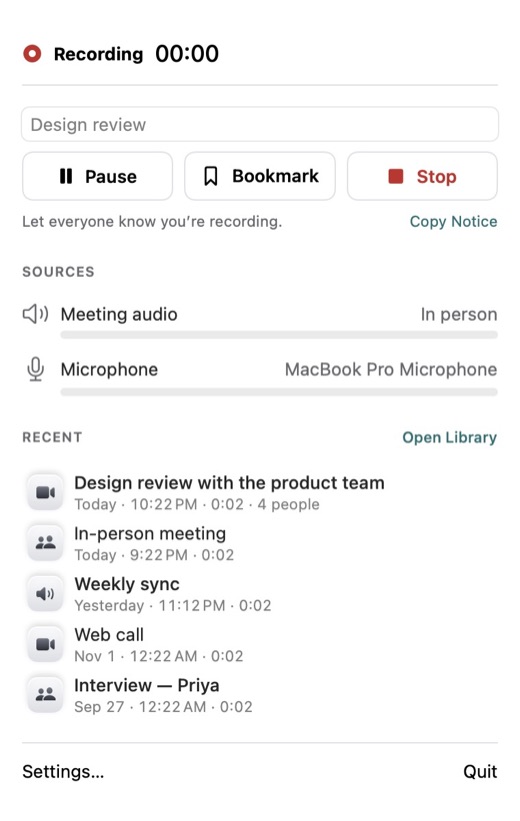
Tap Bookmark while you record to mark something worth finding later. Bookmarks appear on the meeting’s timeline.
Huddle Log records your meeting and transcribes it on your Mac, iPhone, or iPad. Each person’s words are grouped and labeled, ready to read, search, and share.
Your first 3 meetings are free. Transcribes English only.


How it works
On Mac, click Start Recording in the menu bar. On iPhone or iPad, tap Record.
Huddle Log saves the recording and transcribes it on your device.
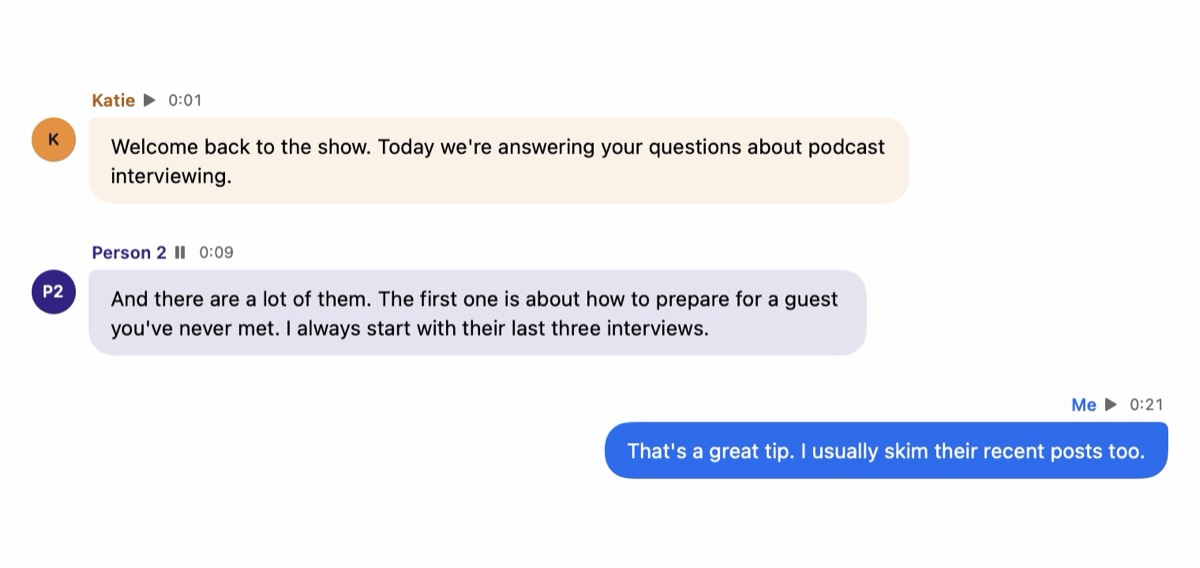
Each person’s lines are grouped and labeled, with the time they spoke.
Who said what
Huddle Log groups each person’s lines and labels them Person 1, Person 2, and so on. On Mac calls, your own lines are labeled Me. Rename a person once, and every line in that meeting updates.
Mac, iPhone, and iPad
On Mac, Huddle Log records your microphone and the call’s audio as two separate tracks, so your voice and everyone else’s stay apart. No meeting bot joins your call. On iPhone and iPad, it records the conversation in the room.
Timeline
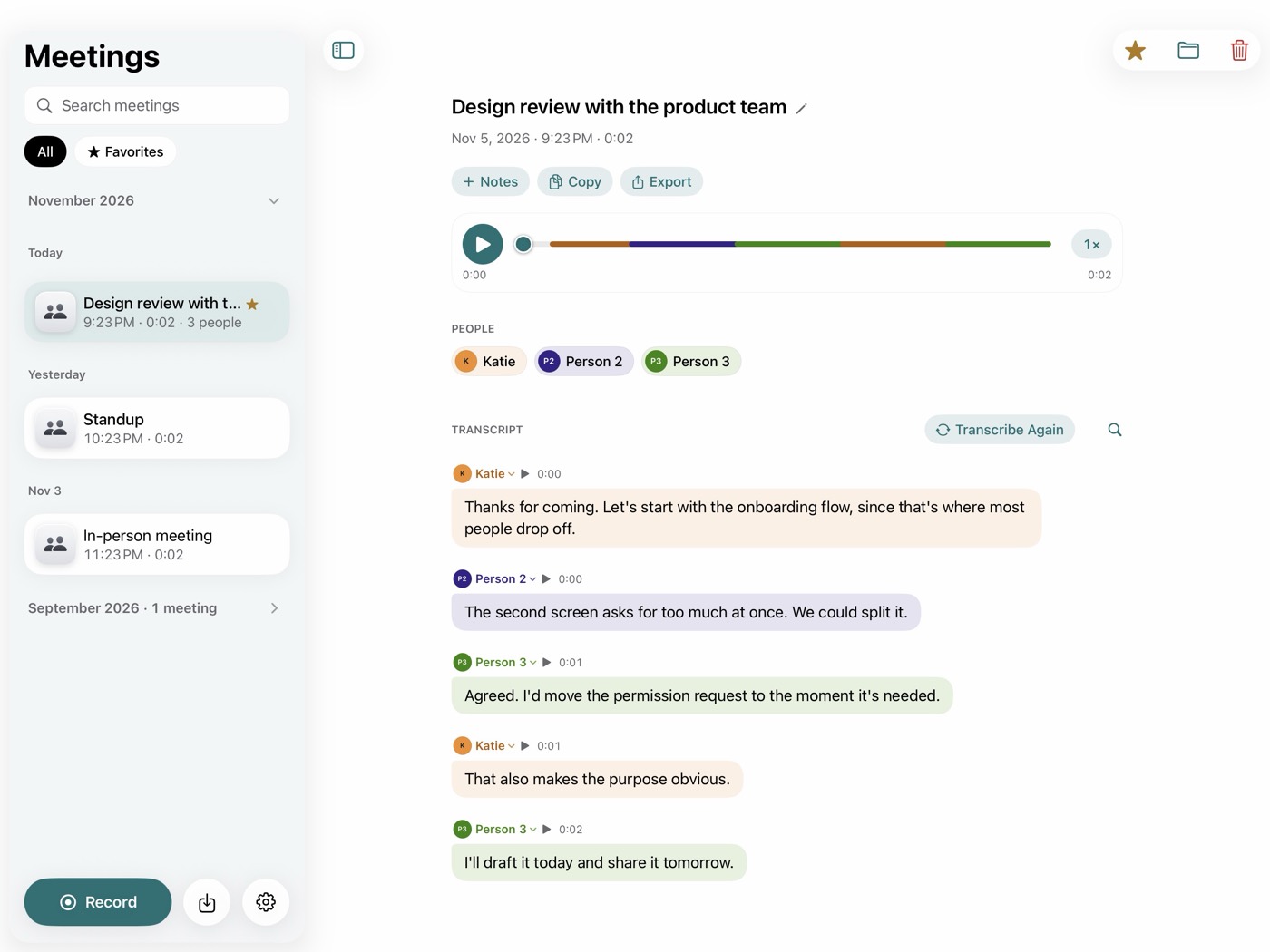
A timeline under each meeting shows one bar per person, in that person’s color. Click or tap a bar to jump to the exact line. Turn on Skip silence, and playback and the timeline show only the parts where someone speaks.
Bookmarks
Tap Bookmark while you record to mark something worth finding later. Bookmarks appear on the meeting’s timeline.
Notes
Add your own notes to any meeting, or paste in a summary you wrote elsewhere. Notes are searchable and come first when you copy or export.

Search
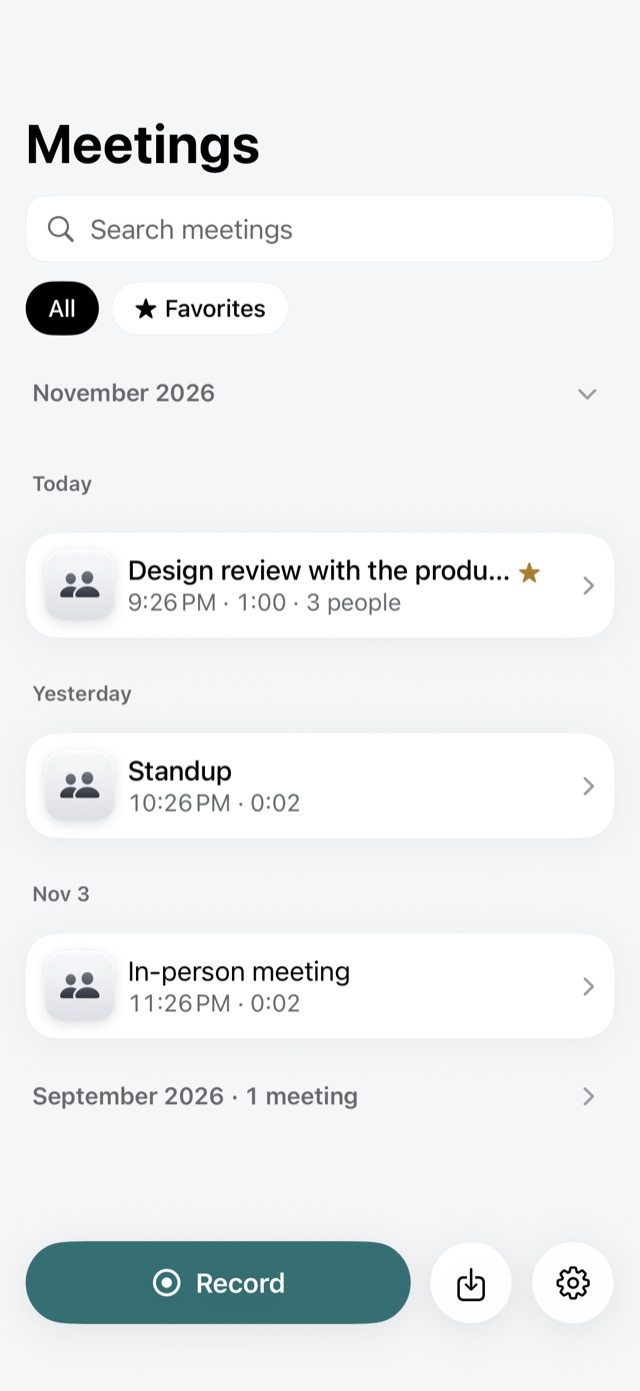
Search every meeting by title or by what was said. Inside a meeting, Find jumps to each match. Meetings also appear in Spotlight on Mac and in Search on iPhone and iPad, and you can turn that off in Settings.
Copy and Export
Copy a transcript as plain text that pastes cleanly into any app. Or export it as a PDF, text, Markdown, subtitles (SRT), or JSON.
Huddle Log writes audio to storage as it records. If the app quits unexpectedly, it offers to recover what was recorded the next time it opens.
Open an audio file in Huddle Log to transcribe it the same way.
For your work
Huddle Log fits the conversations you already have. Before you record, tell everyone in the conversation, and get their consent where the law requires it.
Walk a site with a vendor and record on iPhone, tapping Bookmark at each item to fix. Later, jump straight to every bookmark. For owner calls on Mac, both sides are recorded as separate tracks. Tell everyone you’re recording before you start.
Meet a client in person and keep the whole conversation. Rename Person 1 to your client’s name, and every line updates. Add your own notes beside the transcript.
Record a client call on your Mac with your voice and theirs on separate tracks. Your lines are labeled Me. Find the moment pricing came up, then copy the exchange into the tools you already use.
After a workshop, export a PDF with the conversation, your notes, and a chart of who spoke when, or Markdown for your project documents.
Label each participant once and read the interview as a conversation. The timeline shows who spoke when; export JSON for your own analysis.
Record a pre-interview, bookmark the lines you want to revisit, and export Subtitles (SRT) as a starting point for your edit. Check every quote against the recording.
Find last month’s decision in seconds with Spotlight or the Library search. Turn on Skip silence to listen back to only the parts where someone speaks.
Start with 3 free meetings. When you’re ready, choose Lifetime, a one-time purchase, or Monthly, a subscription. Either unlocks Huddle Log on Mac, iPhone, and iPad.
Recording, transcription, and telling voices apart all happen on your Mac, iPhone, or iPad. Your recordings, transcripts, and notes are never sent to us.
Huddle Log has no sign-in of its own and contains no analytics, tracking, or advertising code. It keeps no voiceprints: a name appears only when you type it.
Your meetings stay in Huddle Log on the device you record on, and can be included in backups you make of that device. They leave it when you copy, share, or export them.
Tell people before you record them. Recording laws differ from place to place, and some require everyone’s consent.
Plans
Your first 3 meetings are free, up to 30 minutes each. Then unlock unlimited meetings with Lifetime, a one-time purchase, or Monthly, a subscription that renews until you cancel. Either unlocks Huddle Log on Mac, iPhone, and iPad.
Your first 3 meetings, up to 30 minutes each.
Unlimited meetings. A one-time purchase.
Unlimited meetings. A subscription that renews until you cancel.
Prices are shown in the App Store.
Copy and Export work in the free version, and the meetings you make stay yours to read, play, copy, and export. Recording length is limited by your device’s free storage.
Requires a Mac with Apple silicon, or an iPhone or iPad.
English only.
Your first 3 meetings, up to 30 minutes each, with copy and export.
On the device you record them on. They’re never sent to us.
Sign in with the same Apple Account, then choose Restore Purchases in Huddle Log’s Settings.
Transcribes English only. Transcripts and speaker labels are made automatically and can contain mistakes.